But I recently came across the manual to the Manbang set top box that was part of an .apk file. The app is corrupted but I was able to extract some of the contents. Specs from the manual are below, as well as the manual and font files used by the app.
Video Output: HDMI 1.4a, supports 1080 x 720 resolution
What’s interesting is that hte manual lists 8.8.8.8 (Google DNS) and 114.114.114.114 (a Chinese DNS) as configuration options. The manual also states that newly purchased devices must be registered with the Manbang Management Center before it can be used. Outside of that searching can be performed in Korean or English which might suggest that some content has English metadata. There’s also a few images in the docs folder that don’t appear to be used
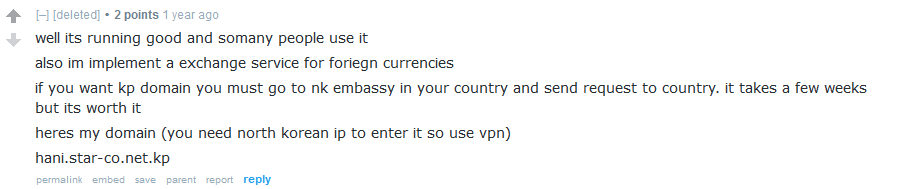
In a post from a now-deleted user on the webdev subreddit, someone asked about how to acquire a .kp TLD. While there were a few decent responses, the original poster shared an update: they successfully obtained a domain but noted that a VPN is required to access the website. This raised intriguing questions about VPN usage in North Korea.
While several VPN providers claim to operate from North Korea, most merely offer false IP geolocation. However, the poster provided the domain they acquired: hani.star-co.net.kp. This sparked an investigation into what might be legitimate North Korean VPN infrastructure.
Is Hangro a VPN?
North Korea’s tightly controlled internet environment relies on specific tools for access. One such tool is the software NetKey, which authenticates users inside the country for internet access. However, it appears there is another program, Hangro, which may potentially function as a VPN for users outside the country. Let’s dig into the infrastructure a little more
Hangro’s IP Infrastructure
Historically, four IP addresses supported Hangro’s operations. These included two IPs located in North Korea and two in Russia. These IPs shared certificates on port 3225 and also had port 8888 open:
175.45.176.21
175.45.176.22
188.43.136.115
188.43.136.116
Until November 1, 2024, these IPs displayed the following certificate information on port 3225:
Subject: CN=hangro.net.kp
Issuer: CN=hrra2024
Names: hangro.net.kp
Additionally, the IP 175.45.176.32 matched this certificate data.
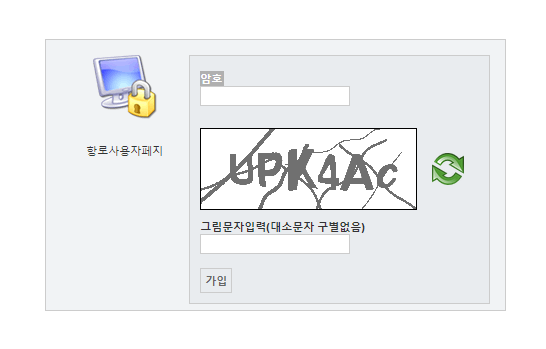
Despite these technical similarities, the exact purpose of these IPs remains unclear. Further investigation of the domain hangro.net on archive.org reveals a 2012 snapshot of a remote access page written in Korean:
This domain was apparently used for some kind of remote access and is similar to a current North Korean TLD but there’s still more that can be investigated to tie this to North Korea as well as how it is used for remote access.
Whois Records and DPRK Connections
Luckily whois data from that time reveals who had registred hangro.net:
Registrar: XIN NET TECHNOLOGY CORPORATION
Registrant: Jo Myong Chol
Address: “District Heping, Road Wenhua, No 17 4-24-1,” Shenyangshi, Liaoningsheng, China
Jo Myong Chol is listed as a North Korean national in OpenSanctions. The email address support@silibank.com was also used to register other DPRK-affiliated websites, including:
ournation-school.com
uriminzogkiri.com
This strongly ties Hangro’s infrastructure to North Korea. The use of silibank.com—a domain associated with other DPRK-related websites—suggests a coordinated effort to manage internet resources and infrastructure tied to state activities. Furthermore, the Shenyang address and registrant details align with known patterns of North Korean operations abroad, further solidifying its connection to the regime’s broader internet strategy.
Silibank and Hangro Software
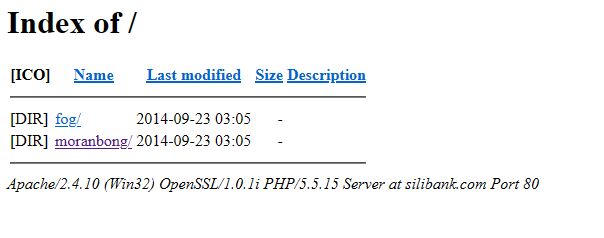
At this point we can conclude that all of this is related to North Korea but it still doesn’t answer the question about what hangro.net.kp is used for. However, back in 2014 archive.org also captured the following page for silibank.com
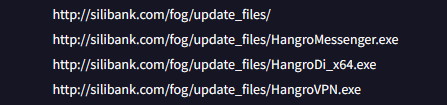
While archive.org doesn’t have a copy of the files, VirusTotal provides us a list of files in the fog directory
Side note if anyone knows what moranbong is or has a copy of the files feel free to reach out.
What is Hangro Used For?
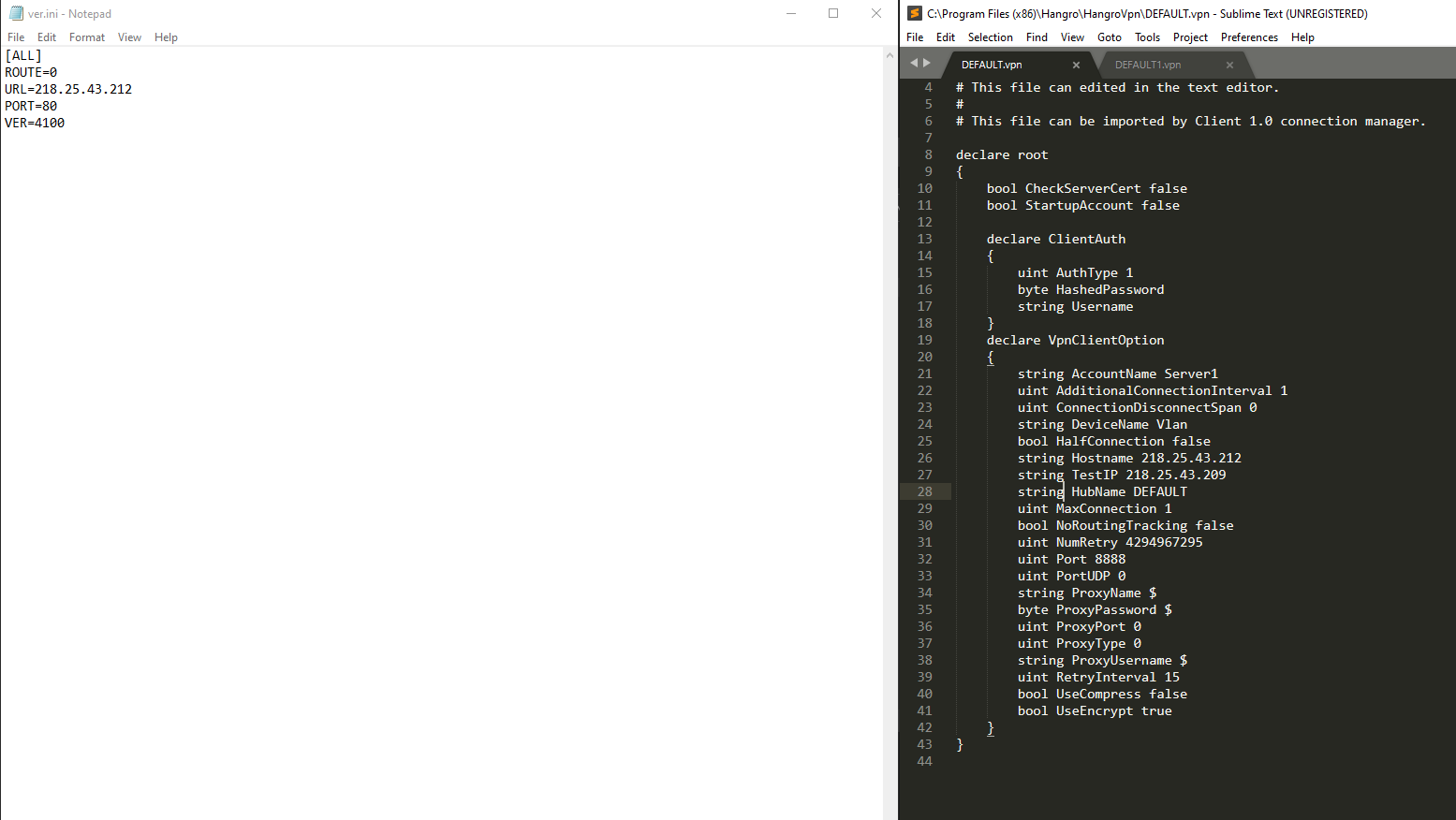
Judging by the name it’s probably a VPN client that was downloaded from silibank.com. While the file on VirusTotal may be an older file I was able to find what I think is a newer version of Hangro. The interesting thing is that it came with a default config in place that is designed to connect back to 218.25.43.212 on port 8888
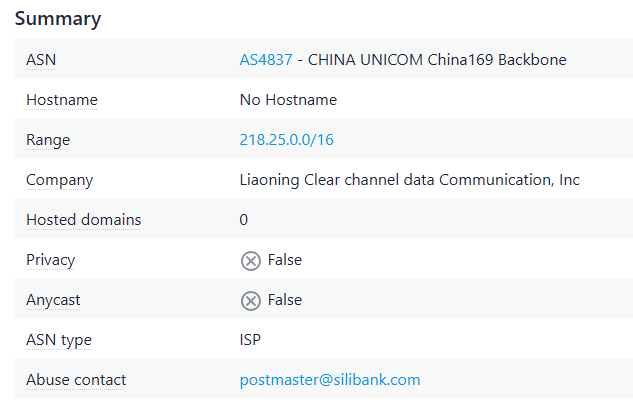
Pulling some additional details for that IP reveals an abuse contact email of postmaster@silibank.com
What does this all mean? It seems to be some infrastructure used for possibly connecting back to the Kwangmyong potentially. There’s not a lot of information available online about the Hangro software. So far the only thing that I’ve been able to find is this article from rfa.org that claims the following:
“The newly developed computer startup program detects the internet connection status in real time and opens a channel to use only North Korean e-mail. You can download instructions from Pyongyang, and access lecture materials and study materials only through North Korean e-mail,” the second source said.
“The software, called ‘Hangro,’ disables external emails from China and the rest of the world. It has become the only email channel where messages can be exchanged between the North Korean authorities and the company,” said the second source.
“North Korean trading companies must pay $350 to the Shenyang consulate to use Hangro,” the second source said.
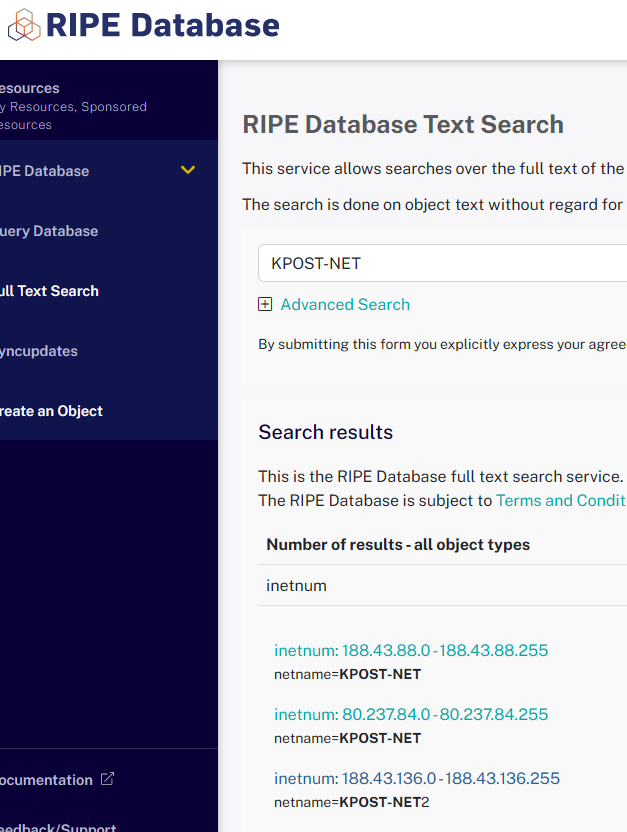
While the article mentions it is used for just email, some brief investigation of the software reveals that there may be more to it. Part 2 of this series will have additional details about the software. Further, it appears that North Korea is using infrastructure outside of it’s typical ASN. Doing some quick digging into the 188 addresses shows the following ranges in the RIPE database as being related to the 188 IP addresses.
Indicators mentioned in this post are below. If you have any additional details about Hangro please reach out contact@dprkinternetwatch.com
I’ve been meaning to write this for a while but it turned into a much longer write up than I was expecting so it’s being broken into multiple parts. Martyn at 38 North did a great write up on the app earlier this year but I wanted to dive into it more. If you’re not familiar with the app you can read about it here: https://www.38north.org/2024/01/a-close-up-look-at-north-koreas-digital-map-app/
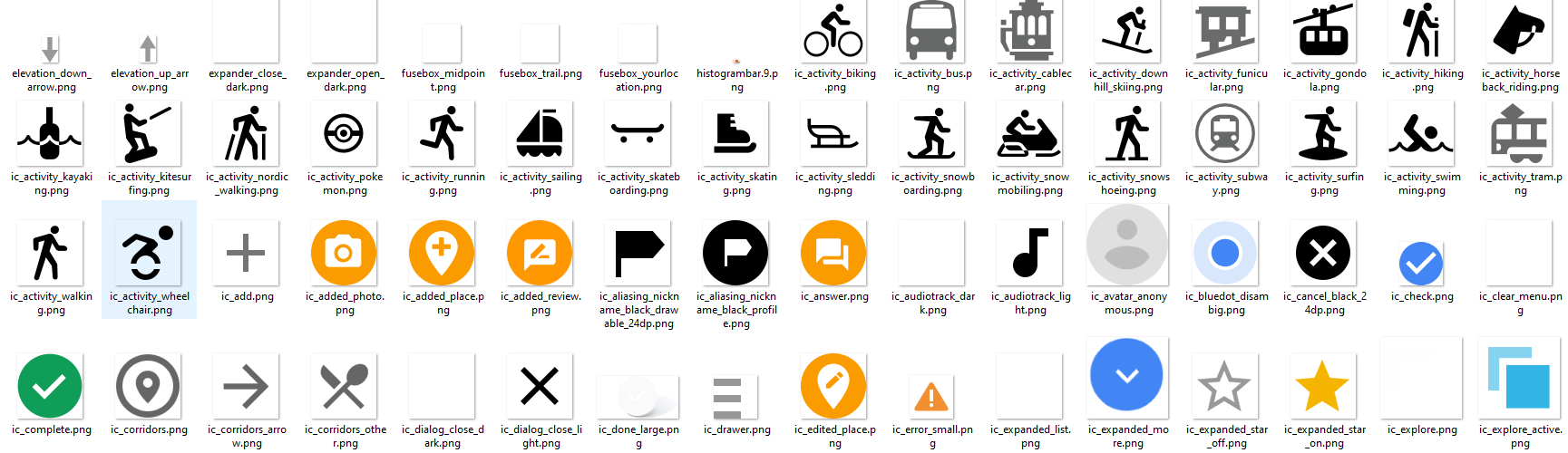
Lets take a look at some of the icons first. They give some clues to some of the possible items that might be found on the map
There’s also a couple of interesting icons that don’t appear to be used anywhere
With that out of the way, let’s take a deeper look at the app and some of the functionality.
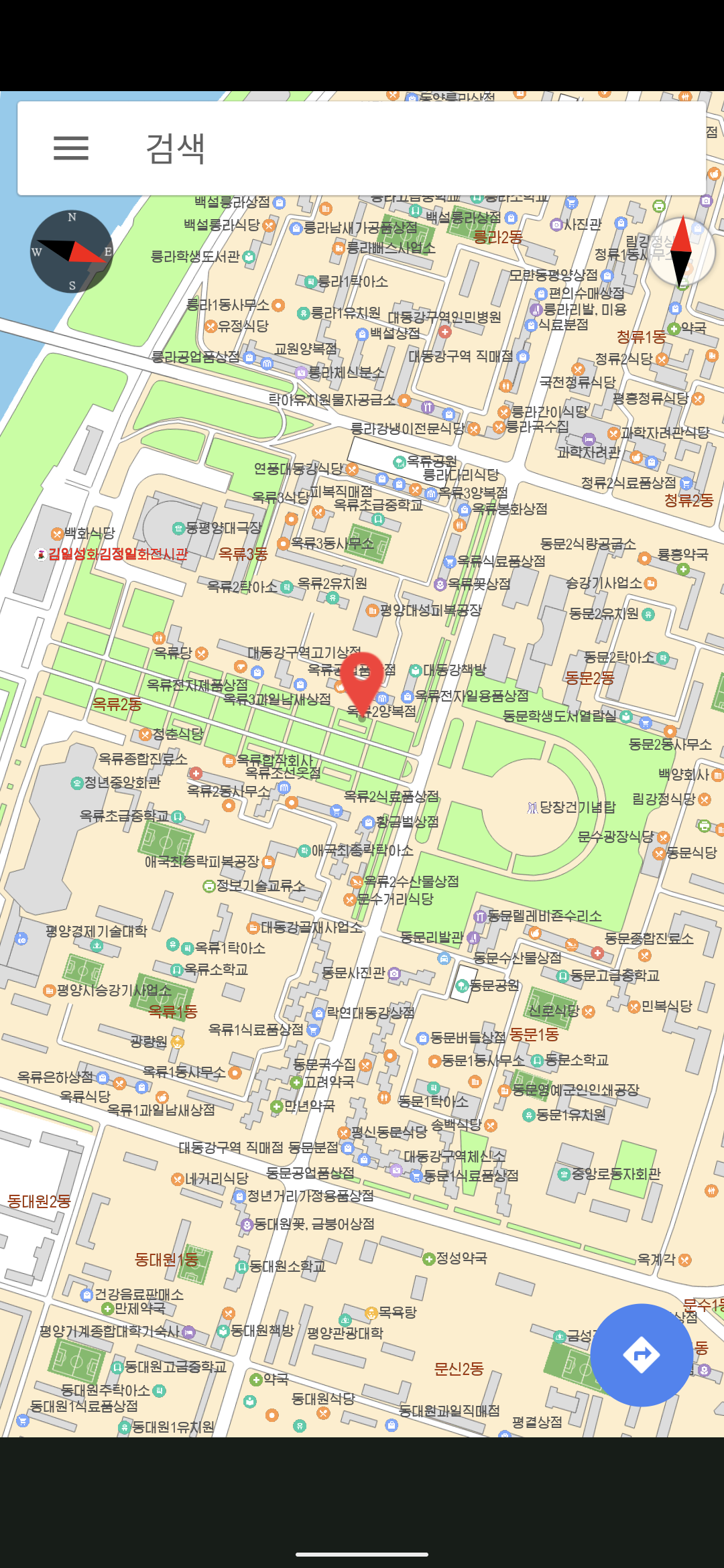
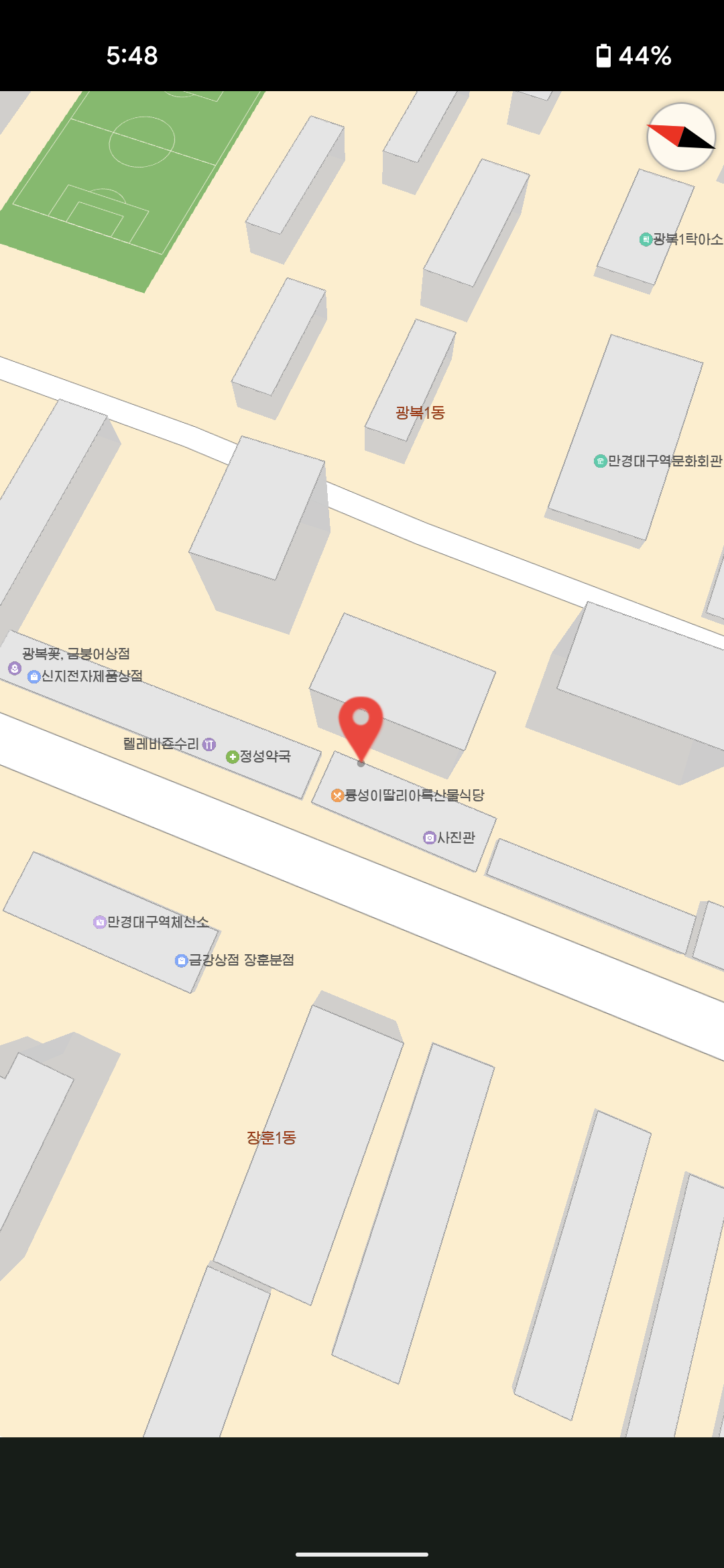
Multiple locations on the map and checks notes, what appears to be Pyongyang’s finest Italian restaurant
App Licensing There’s a pretty robust system for checking the license of the app. Interestingly there’s a function for scanning a QR code to process a license file for the app:
Once scanned, there’s some additional licensing checks that are performed for files on the phone that include:
public boolean checkCertFiles() {
  boolean isValid = false;
  try {
    InputStream certStream = parentContext.getAssets().open("AllCerts.cert");
    DataInputStream dataStream = new DataInputStream(certStream);
    byte[] certData = new byte[dataStream.available()];
    dataStream.read(certData);
    dataStream.close();
Finally it checks the date to make sure that it’s not later than December 31, 2020. There’s additional methods for making sure that the system time wasn’t modified but apparently doesn’t work that great.
public boolean isLicenseValid() {
  Date currentDate = new Date(System.currentTimeMillis());
  Date expirationDate = new Date(2020 - 1900, 12 - 1, 31, 23, 59, 59);
  return !currentDate.after(expirationDate);
}
Additionally there is a file shitc_prefs that is a file containing licensing information about whether there is a valid license present.
If some of these controls fail like the date, the app fails to start. For others the app remains in a “demo” state. Based on all of the checks nResultCode is set to a value that can be checked throughout the app for additional functionality that can be unlocked. Based on a read through a rough breakdown of the possible codes are:
nResultCode = 0: Indicates that the license is valid and has passed all checks.
nResultCode = 1: This seems to indicate a problem finding the necessary license files or data.
nResultCode = 2: This means that the app found the license files, but they were either not valid or didn’t match the expected values during decryption or signature validation. This is set when internal checks fail.
nResultCode = 3: QR code data was processed the app could not validate or save the license properly keeping it in demo mode. This could happen for multiple reasons if the files are missing or if there is an issue accessing shitc_prefs.
nResultCode = 4: Possibly related to the inability to initialize or load the license properly.
nResultCode = 5: This result seems tied to license expiration, as it is set when the system detects that the current date is beyond the expiration date.
nResultCode = 6: This is related to the certificate validation and indicates that the certificates may be missing, corrupted, or altered.
nResultCode being set to 2 or 5 results in System.exit(0) being called stopping execution of the app after the splash screen is displayed.
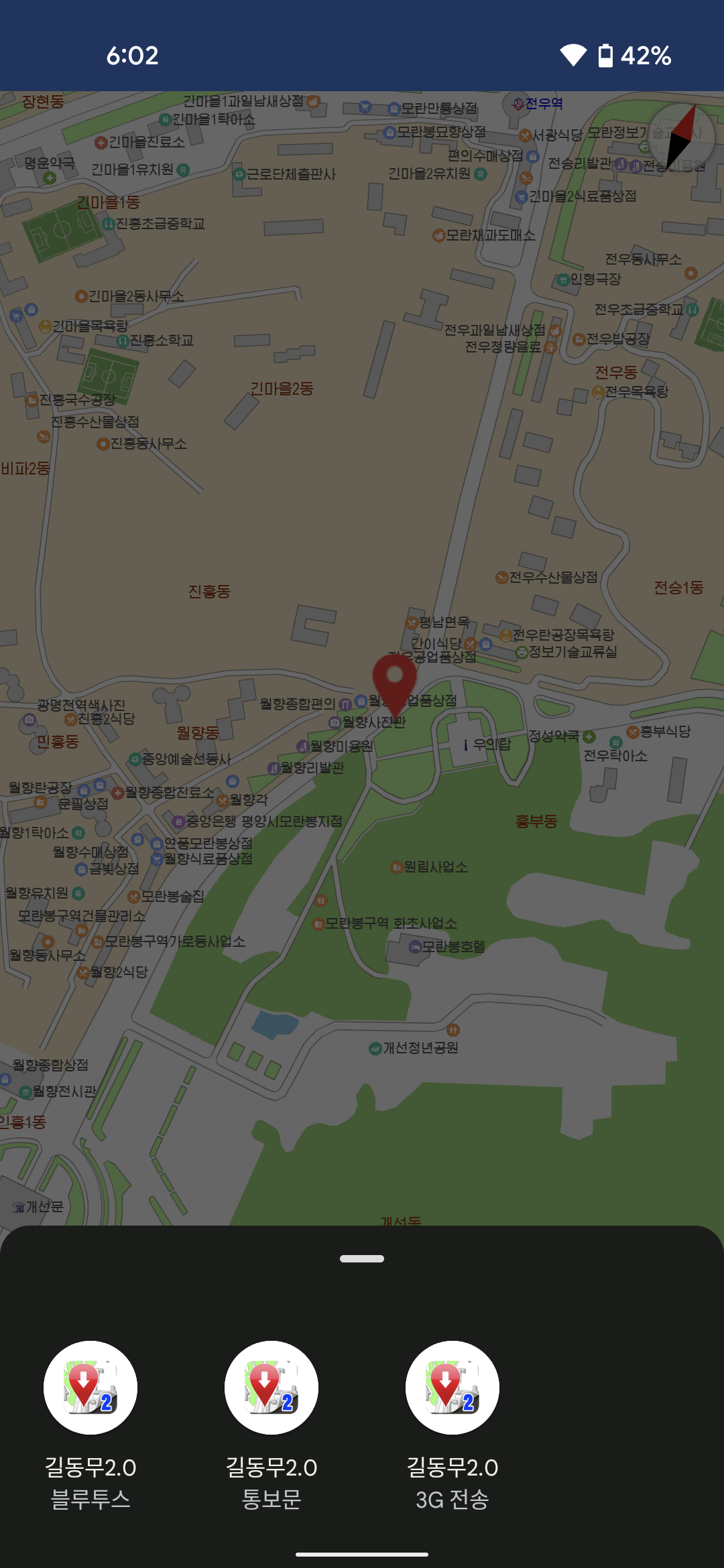
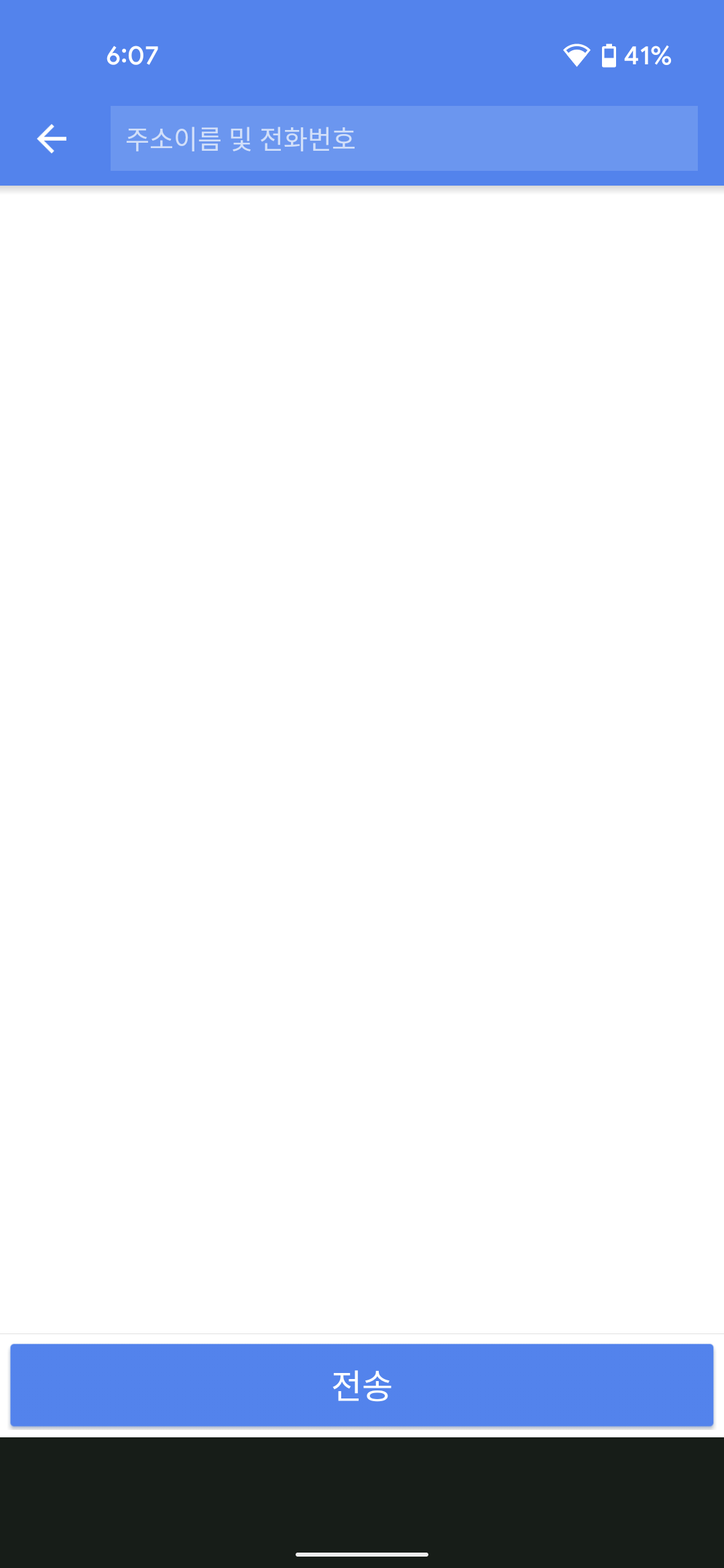
Options to share via Bluetooth and 3G and a third unknown option that lets you enter an address
It appears the API is a multi-purpose API. Still need to see what else the API is used for within the app.
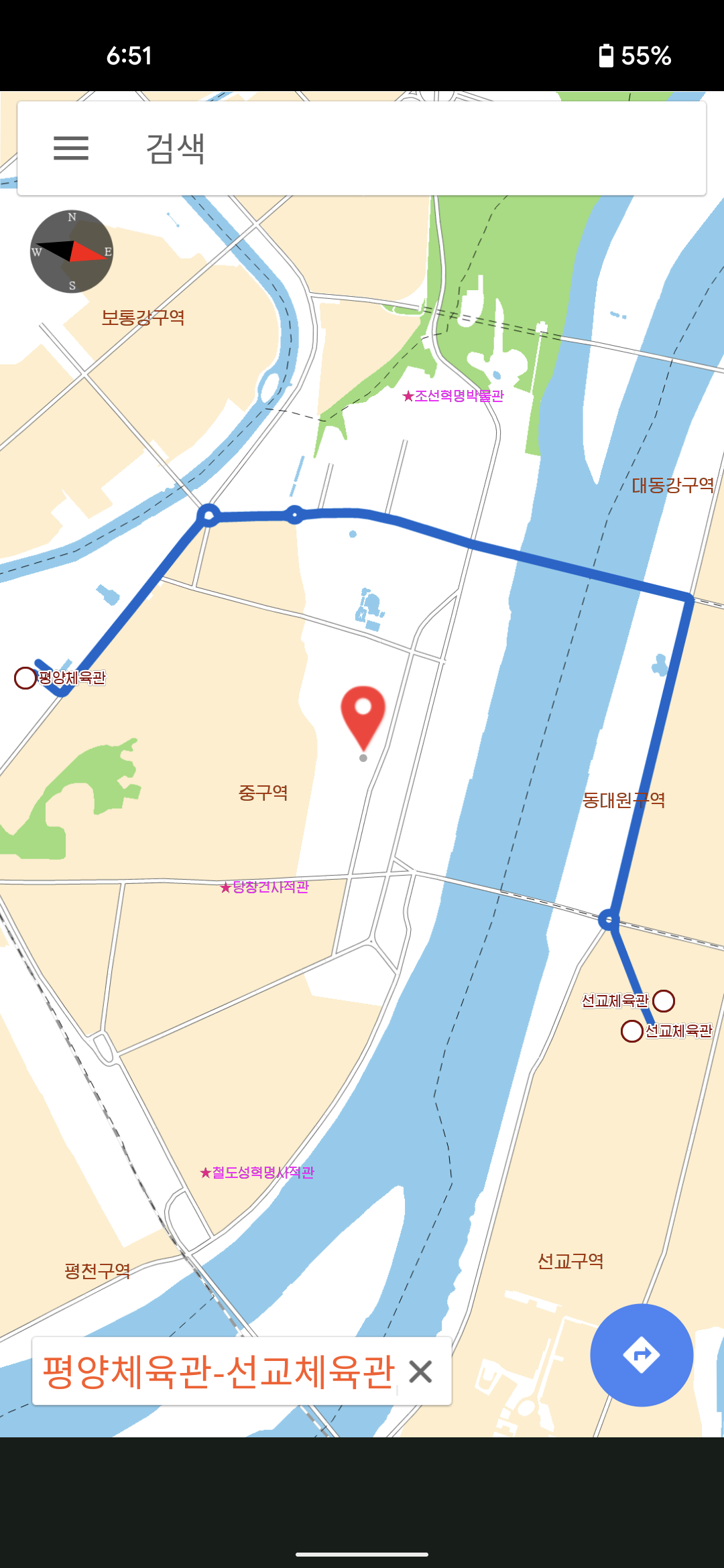
Bus and subway routes across the city are searchable
Map Database Probably the most interesting part of the app. the function intiGeoDB intitializes the database that is used to load the icons onto the map. The method calls sqliteOpen with the parameter str being the most likely candidate of the password being passed to sqliteOpen
Unfortunately sqlite is part of the library file libPyongYangMap3D.so which is 3+ million lines decompiled. Still working on finding the password for the DB. However it could be something that is encoded as there are several methods that use XOR obfuscation in the app:
There’s a couple of compiled .so files that are used with the app. The one called libjsqlite.so has some additional information that can be used to make some assumptions. Based on a file hash in file it appears that the app is using Sqlite 3.25.2: https://www3.sqlite.org/src/info/fb90e7189ae6d62e
Next Steps It’s an interesting app to get an idea of the types of landmarks inside Pyongyang. There’s more functionality to explore in the app for a part 2 and probably part 3. There’s a PDF reader/generator in there, a database password to find, and more calls to the friend API.
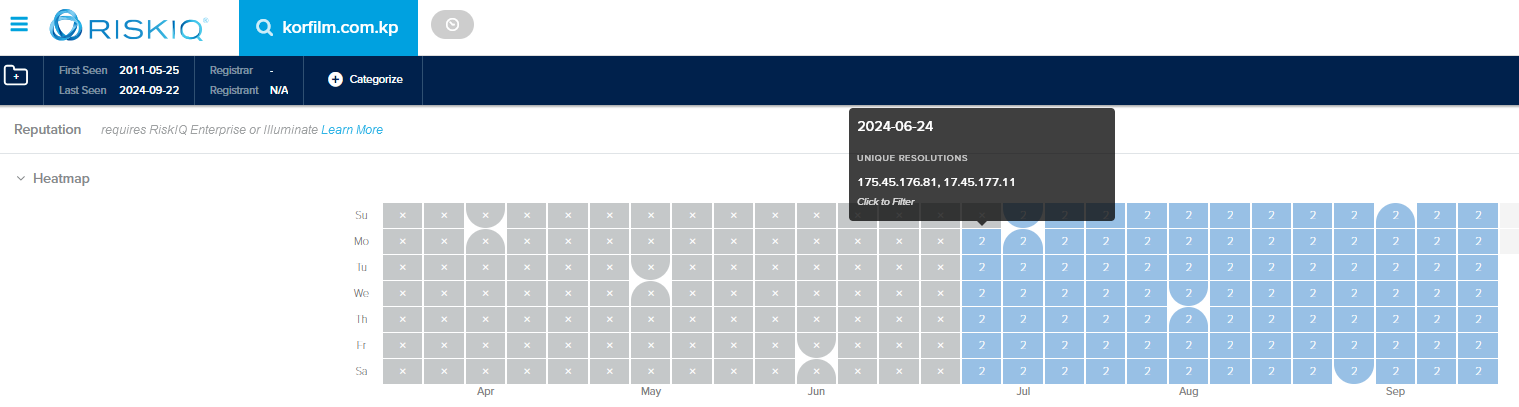
There’s an interesting DNS misconfiguration for korfilm.com.kp, the website for the Korea Film Export & Import Corporation. It appears that someone made a typo when configuring the DNS records leading to one of the entries pointing to an Apple owned IP instead of a North Korean one.
This is the current A record for korfim.com.kp:
$ dig korfilm.com.kp a
; <<>> DiG 9.10.6 <<>> korfilm.com.kp a
;; global options: +cmd
;; Got answer:
;; ->>HEADER<<- opcode: QUERY, status: NOERROR, id: 20685
;; flags: qr rd ra; QUERY: 1, ANSWER: 2, AUTHORITY: 0, ADDITIONAL: 1
;; OPT PSEUDOSECTION:
; EDNS: version: 0, flags:; udp: 4096
;; QUESTION SECTION:
;korfilm.com.kp. IN A
;; ANSWER SECTION:
korfilm.com.kp. 27819 IN A 175.45.176.81
korfilm.com.kp. 27819 IN A 17.45.177.11
Querying the DNS servers directly confirms that both are showing the misconfiguration.
$ dig @ns1.korfilm.com.kp korfilm.com.kp a +short
175.45.176.81
17.45.177.11
$ dig @ns2.korfilm.com.kp korfilm.com.kp a +short
175.45.176.81
17.45.177.11
Obviously not a great mistake as this can cause traffic meant for the domain to be routed to Apple’s IP. The earliest evidence that I can find shows this misconfiguration has been in place since June 2024
Now that it’s been leaked, lets take a look at the North Korean email client that was part of the leak. It’s made up of a main executable, a couple of dll files, and a config file. Before even diving into it there’s a couple of interesting things that we can find looking at the strings and some of the associated file names.
.rdata:006E1E80 0000001C C Not a valid Chilkat object.
.rdata:006E2004 00000025 C VHJpYWwgcGVyaW9kIGhhcyBleHBpcmVkLg==
.rdata:006E2030 00000059 C UHJvZHVjdCBpcyBub3QgdW5sb2NrZWQuICBNYWtlIHN1cmUgdG8gY2FsbCBVbmxvY2tDb21wb25lbnQgZmlyc3Qu
.rdata:006E5A88 00000047 C AutoFix: SMTP port 587 requires explicit SSL/TLS for this mail server.
.rdata:007366D8 0000001F C No SSH connection established!
.rdata:007366F8 00000024 C SSH password authentication failed
So it’s using the Chilkat library and there’s references to SSH, FTP, and other protocols in there as well. The base64 encoded strings are decoded to being about an invalid license. If you’re not familiar with Chilkat, it is a cross-language, cross-platform API providing 90+ classes for many Internet protocols, formats, and algorithms.
And while Google Translate is great, based on the file names for the icons we can get an idea of how the software works when connected to a mail client.
There’s also an icon for a question that I haven’t seen in use yet.
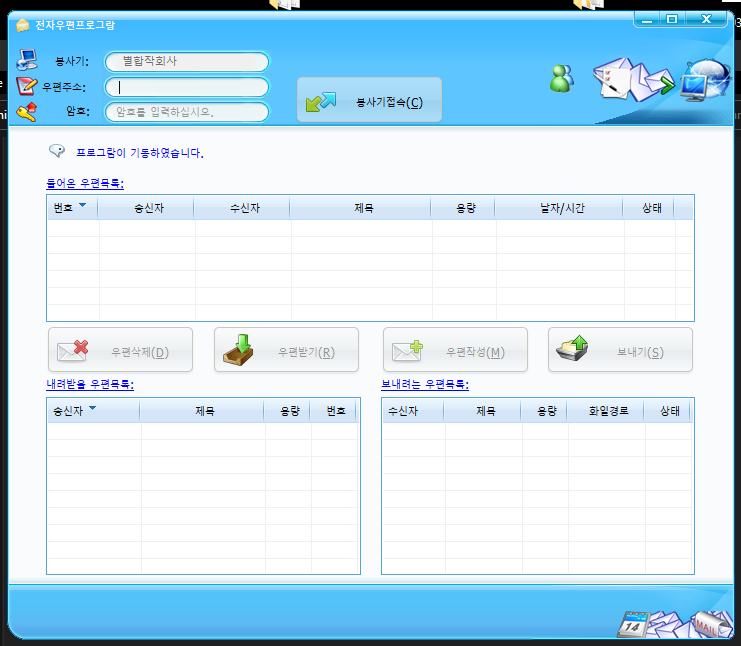
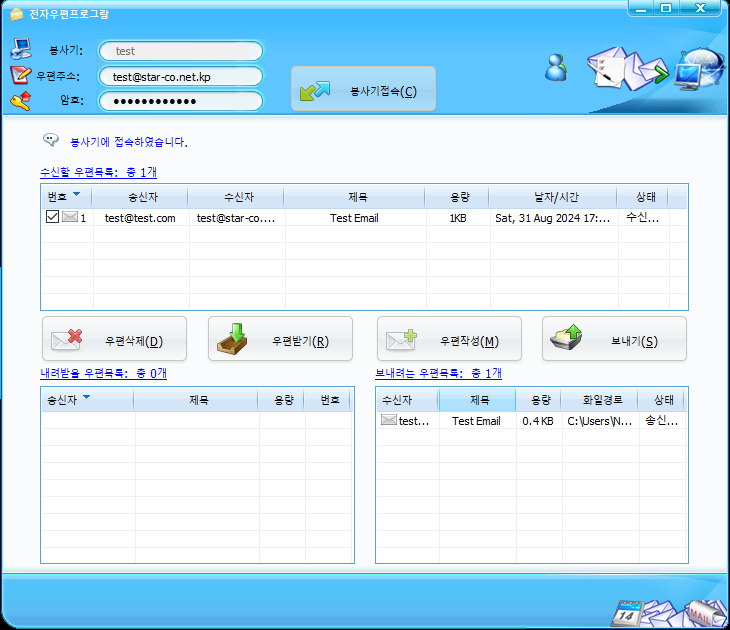
Running the software we can see that it’s a pretty simple interface for an email client.
Checking the temp files as it’s running gives some more information about the UI. While it looks like someone has taken over the domain using the Wayback Machine we can see that uieasy.com is described as “a powerful library to help you develop the user interface program. It uses xml files to describe the look and feel of the control and you can make fancy user interface easily. “. However the last active snapshot on the Wayback Machine is from 2014. If this is email client is still in use it could have been in use for a long time now potentially.
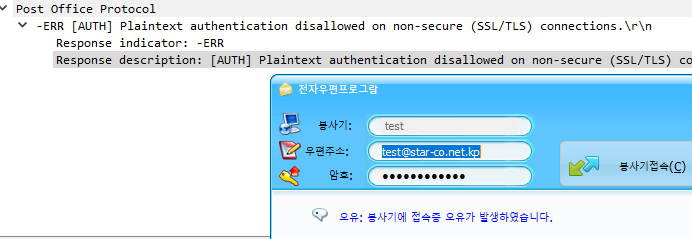
I set up my own email server to see how this works since there are references to SSH and FTP. Two things right away that were a pain is that it only support usernames @star-co.net.kp and there really aren’t good error messages when trying to set up the client, even though it looks like there’s plenty of strings to support an error message but I suppose they’re all in English and not Korean.
I worked out the errors. If you want to test this out on your own I’ve uploaded a dockerfile that you can use that builds with all the correct settings. You can log in with the username ‘test@star-co.net.kp’ and the password is ‘yourpassword’
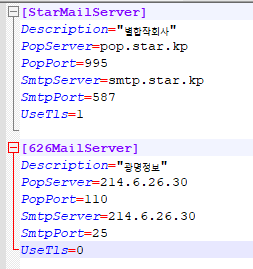
You also have to use a star-co.net.kp domain when entering the username in the email program or else it rejects it. There’s a config file as well for setting the mail server to connect to. The default config that it shipped with is interesting. There’s an entry for a North Korean domain but the second entry is titled 626MailServer and has the server set to the IP address 214.6.26.30 which is owned by the Department of Defense. Could be interesting, could just be on a network that is using DoD IP’s for their internal IP’s
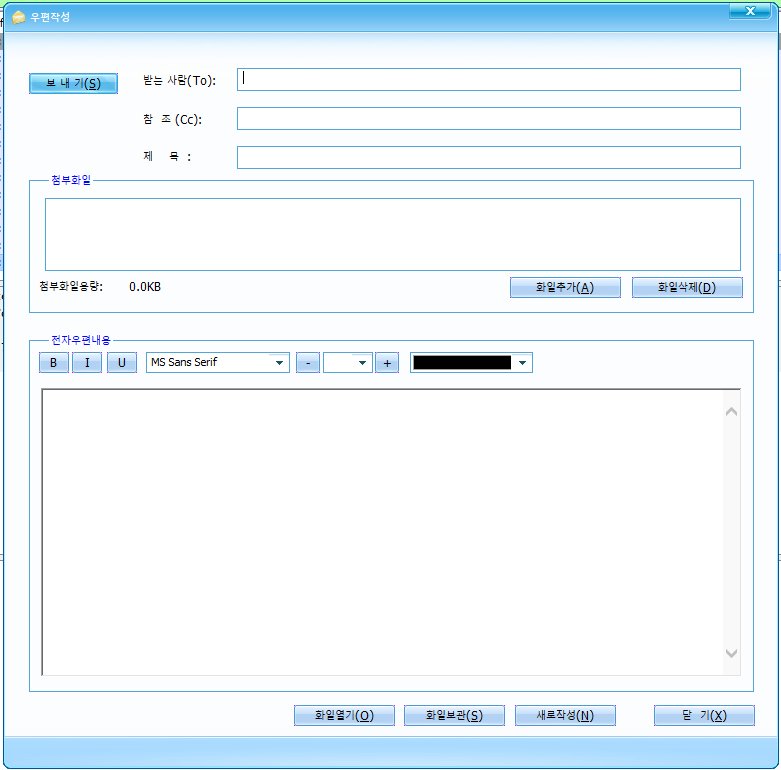
Once the email client authenticates the rest of the buttons become available. There’s options to write an email as well as download an email. It looks like this is designed for being used offline. The bottom left box is for storing emails that come in to a users inbox and the bottom right looks to be an outbox for when connected to the internet you can send emails.
Overall it appears to be a pretty standard email client. It’s interesting that there is some functionality for apparently working in locations without internet access. Probably going to have a second part to this after looking into the dll an db file a little more.
Found some application forms and the rules for the 32nd April Spring Friendship Art Festival. “The April Spring Friendship Art Festival is an international event that is held in Pyongyang to mark the Day of the Sun (April 15, the birthday of President Kim Il Sung). The festival, which began in 1982, aims at promoting joint development of music and art by strengthening friendship, unity, and cultural exchange between the artists from many countries of the world under the ideal of independence, peace, and friendship. It is a large-scale event which involves all realms of stage art such as vocal and instrumental music, dance, and acrobatics. It is attended by talented artists including stars of famous art troupes and prizewinners at international contests. Diplomas, cups, bonuses, and souvenirs are conferred on excellent organizations and artists. During the festival, colourful functions take place, including the Seminar on National Art Development in the Present Era” (Understanding Korea: Culture, 2017, p. 68).
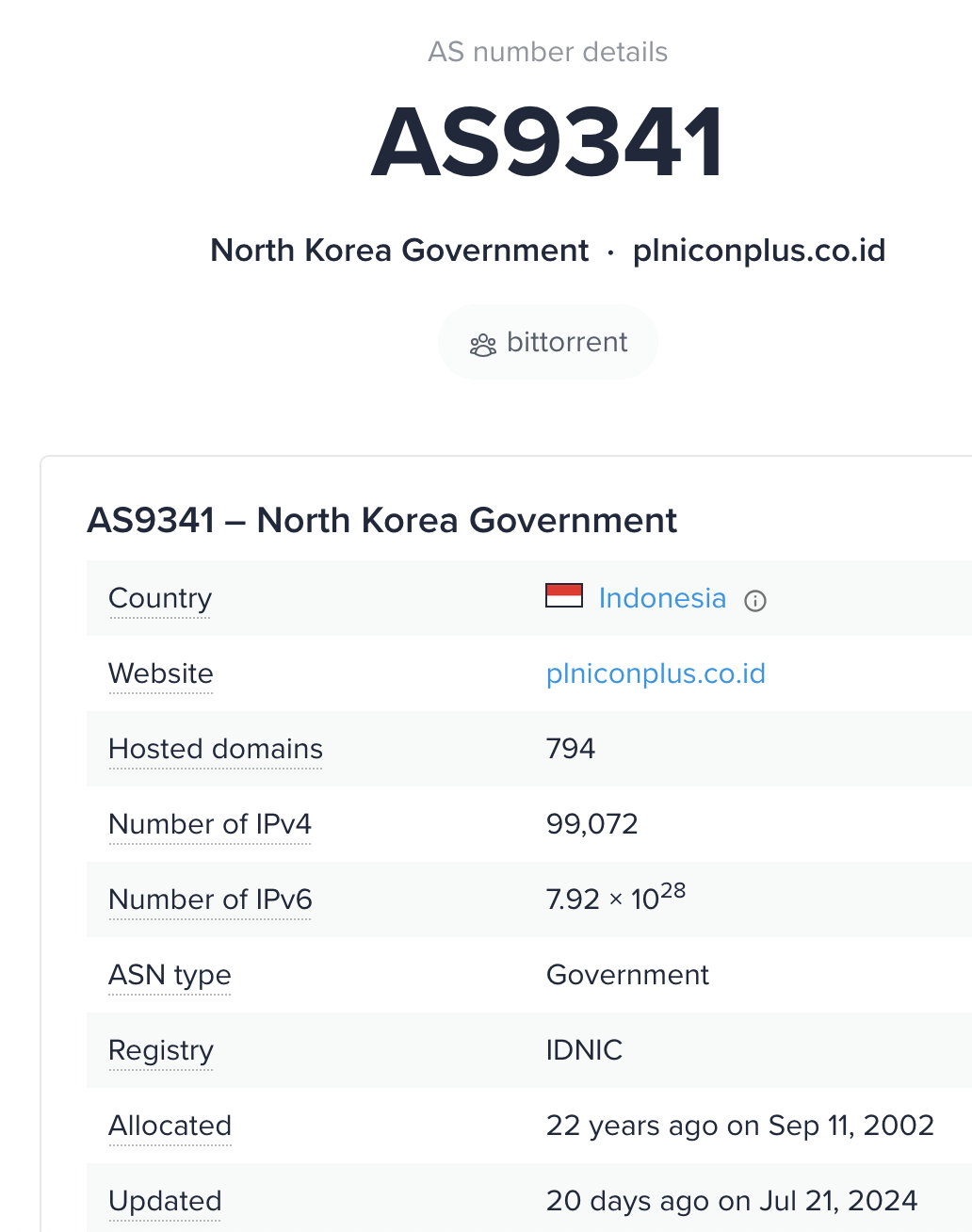
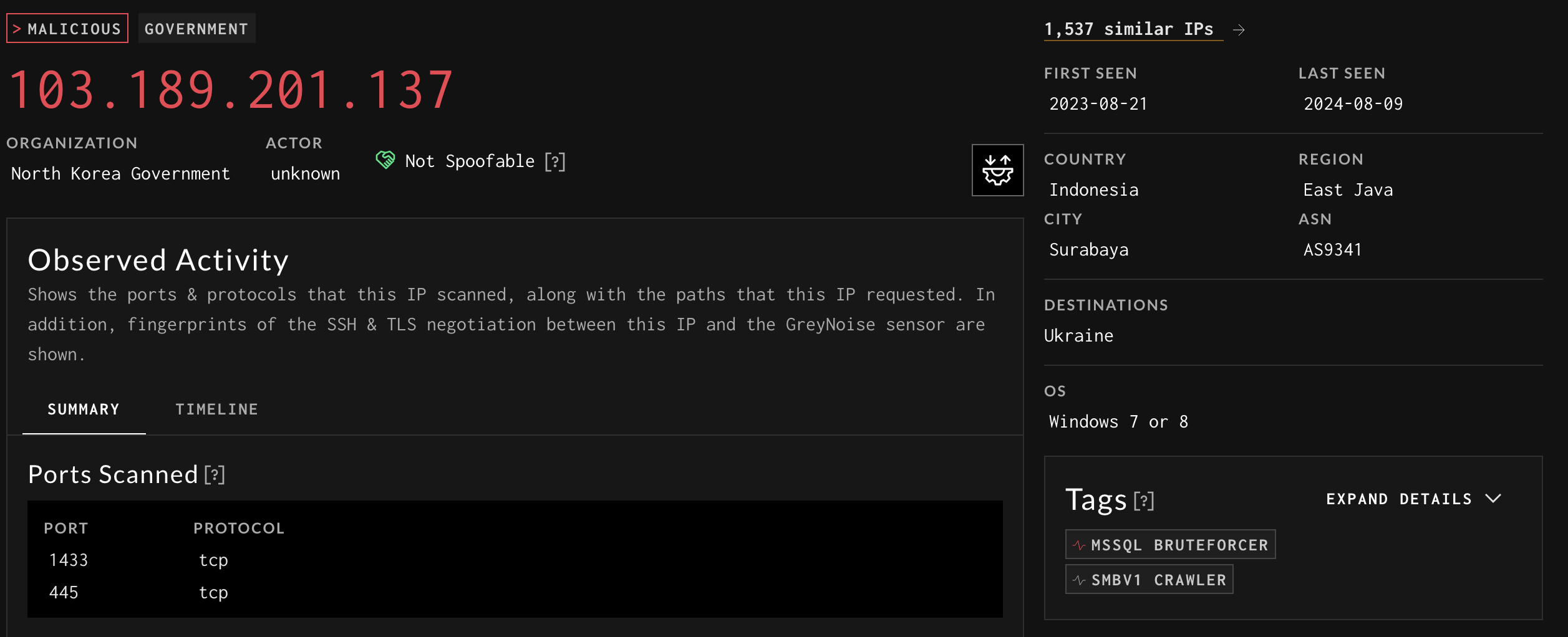
Looks like within the last month AS9341 is now reporting as North Korea Government
Other than the fact that it’s a tremendous amount of IP’s I’m curious to see what happens with this. Poking around the routing it doesn’t seem to be associated with anything that North Korea currently peers with on AS131279. Even just browsing some of the IP’s it appears that they are all used in Indonesia
However it is interesting to see that there is a lot of activity coming from the range that GreyNoise observes
Edit:
As of 10/17/2024 it looks like this has been corrected and is no longer listed on the whois description for AS9341: https://bgp.he.net/AS9341#_whois
The email whas1985@yahoo.com has apparently been in a number of database leaks over the years including nitrocloud and 000webhost. Looks like they used the same password globalhades19930709 for everything. Interesting is that some of the leaks date back to 2017
The only other thing that I’ve come across so far is that one of the emails listed in the maui affidavit reneefletcher1988@gmail.com apparently registered the domain capitalsloan.com in 2020 and is still active today
Can’t find much other information right now. Could be compromised accounts, could be accounts that were setup years ago by Rim Jong Hyok or someone related.
From the emails in the Maui ransomware report, the following emails have accounts on other services:
asitdolui6666@gmail.com – Firefox.com nirmhanpandiri@gmail.com – twitter account. shows up on a few lists when searching nicolas6999999@gmail.com – freelancer.com whas1985@yahoo.com – zoho reneeafletcher@mail.com – freelancer.com, twitter.com







 North Korean Internet