I finally found a copy of netkey.exe that I posted about a few months back. Haven’t had a chance to really try it out yet and the IP is my own. I’m also relying on Google Translate but it looks like it’s titled Network Certification Program, but if anyone can help translate that would be greatly appreciated.
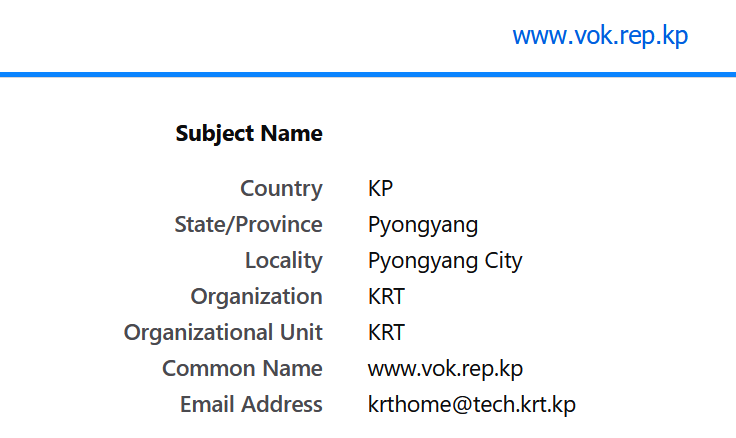
I can’t find anything online about this yet but looking at the subject information for the cert at vok.rep.kp there’s a pretty interesting email address listed. I haven’t seen any email or domain so far that’s publicly accessible for tech.krt.kp
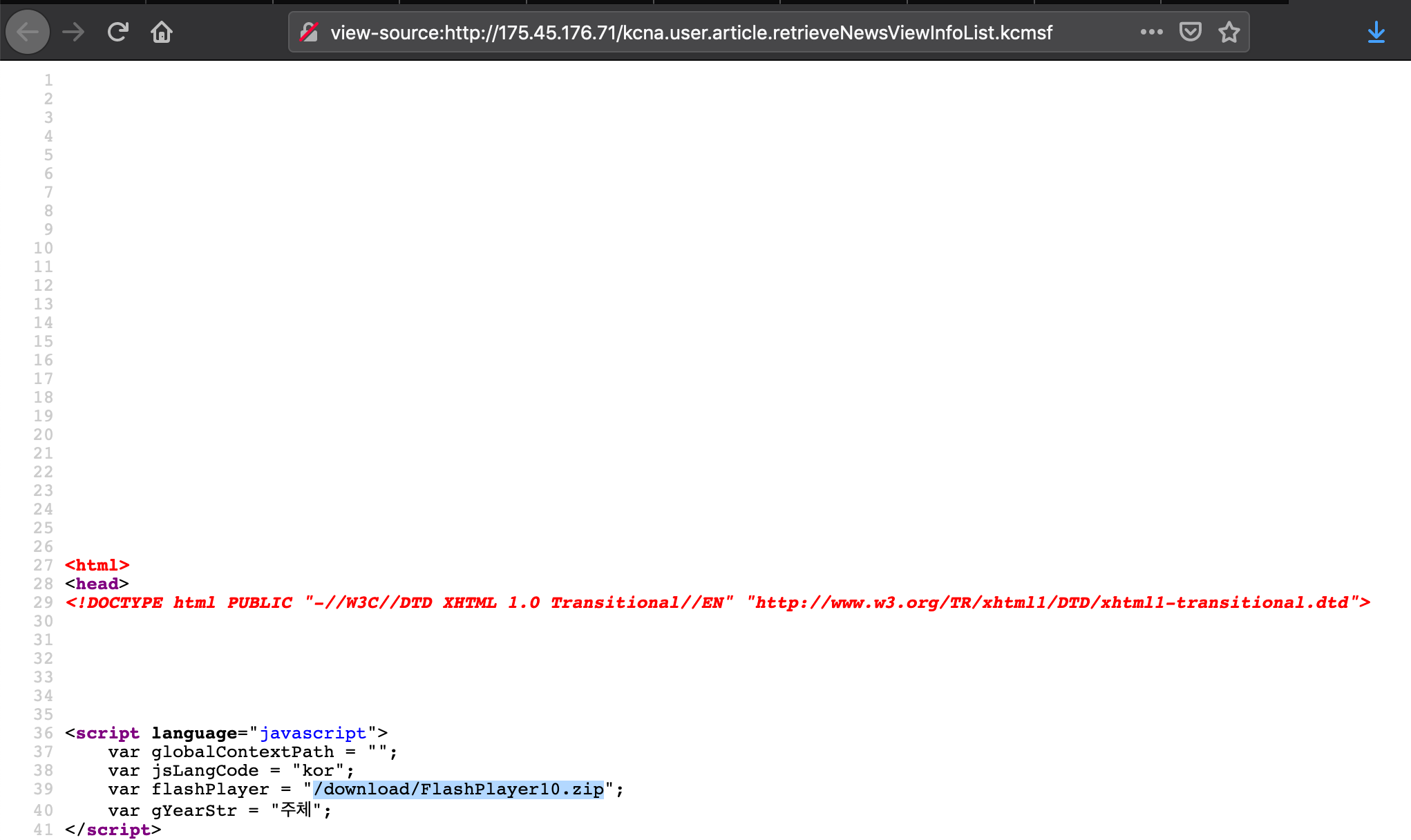
Despite this being discovered a few years ago, you can still find references to the file in the source of the site
The one thing that’s interesting is that part of the URL has exploit in it, but as the article notes it could just be a translation error. One of the things that I found interesting looking at the source of the page is that there are hidden links for check_system_password and admin_login
There’s also a directory siteFiles/exploit but I saved a few of the files and sent them to VirusTotal doesn’t look like there is anything suspicious:
Also based on the dates for some of the files it looks like they’ve been known for at least a few years.
Now these two links don’t load anything and they aren’t visible but archive.org captured these pages back in 2015 and it looks like it just causes the page to continuously reload:
Looking through some of the site I also found similar references where there are links in the code but not visible anywhere on the site:
/system_admin_login_class
/check_db_password
/\\\check_system_password
Neither of those pages load but just found it interesting that they these links are hidden in the code but not visible anywhere on the site that I’ve been able to find.
It’s been a long time but I’ve finally added a new page. You can find a link to it in the top menu bar. I’ve been tracking passive DNS requests out of North Korea. It’s not perfect and it doesn’t seem like anything resolves but I wanted to at least get it added as I start to look into it more.
I was looking for some vulns in red star the other day and I noticed that I couldn’t log into the VM with the root creds. Not sure if it was something in the scans but working backwards now to see what I can find.
A new site in North Korea about stamps. Haven’t had too much of a chance to dig into it yet but it’s interesting to see a gmail address at the bottom of the main page.
Just some notes for getting up and running with red star server:
Set language to English:
vi /etc/sysconfig/i18n
in the file:
LANG=”en_US.UTF-8″
Elevate root user permissions:
sadm -s
sadm -r secadmin_r
setenforce 0
service iptables stop
beam-setup
Note that once you configure beam you can start either beam or rssmon with the following:
service beam/rssmon start
Some translations if you run into errors:
[root@localhost beam]# sadm -s
암호가 이미 존재합니다. 변경하려면 y를 누르고 변경하지 않으려면 n을 누르십시오:
[root@localhost beam]# sadm -sPassword already exists.Press y to change or n to not change:
—————————————————————————————————————————————————-
[root@localhost beam]# sadm -r secadm_r
보안관리자암호 :
암호가 정확하지 않습니다. 다시입력하십시오. 2번 남았습니다.
보안관리자암호 :
…………….가입…………
[root@localhost beam]# sadm -r secadm_rSecurity administrator password:The password is incorrect.Please re-enter.2 times left.Security administrator password:…………….join…………
—————————————————————————————————————————————————-
[root@localhost beam]# sadm -s
암호가 이미 존재합니다. 변경하려면 y를 누르고 변경하지 않으려면 n을 누르십시오:y
현재 암호 :
새 암호 :
암호 확인 :
암호가 설정되였습니다.
[root@localhost beam]# sadm -sPassword already exists.Press y to change or n to not change: yCurrent password:New password:Confirm password:Your password has been set.
[root@localhost ~]# beam-setup
****************************************
《빛발》관리자의 식별자와 암호를 설정합니다.
관리자의 식별자: admin
관리자암호:
암호확인:
****************************************
《빛발》에 리용할 포구번호를 설정합니다.
포구번호:90
포구번호는 10000이상 65536이하여야 합니다.
포구번호:10000
빛발설정이 완료되였습니다.
service beam start
지령으로 《빛발》을 실행할수 있습니다.
[root@localhost ~]# rssmon-setup
봉사기감시프로그람은 이미 설정되여있습니다.
[root@localhost ~]# beam-setup****************************************Set the administrator’s identifier and password.Administrator’s identifier: adminAdministrator password:Confirm Password:****************************************Set the muzzle number to be used in 《Lights》.Port number: 90Port number must be between 10000 and 65536.Port number:10000Light setting is complete.service beam startYou can execute 《Lights》 by command.[root@localhost ~]# rssmon-setupThe volunteer watchdog program is already set up.


 North Korean Internet